
Image Credit: Getty Images
Netflix is launching a brand new test for its TV app starting today (July 29) with the hopes of making the viewing experience more intuitive, by making changes to the video player interface to make it easier to pause, adjust subtitles, and join live events.
Following the major TV homepage redesign unveiled last May – which was focused on helping members easily find something great to watch – this new test focuses entirely on what happens after you hit play.
So, what is actually being tested on your TV screen? Here are the details of the new features rolling out:
Streamlined play/pause controls and removed back button: In the early days, Netflix had to take into account a wide range of input devices in its connected TV experience. However, over time, smart TVs and streaming devices have come together and become more streamlined, meaning most apps now behave similarly.
For this, the on-screen play and pause buttons are being removed.
Of course, the ability to play and pause remains, but you’ll simply use the middle button on your device or the dedicated play/pause button on your remote – something you probably already do. Similarly, the on-screen back button, which was historically located at the top left of your screen, is also being removed, as most users already rely exclusively on their remote’s back button to return to the menu.
Other symbols see a shuffle: All the other icons you’d expect are here, but they’re consolidated to the bottom-left instead of being split between top-left, bottom-left, and bottom-right. ‘Skip Recap’ is the most prominent icon to move to the right, while options like ‘Next Episode’ and additional settings now sit just above the main scrubber, which is notably slightly larger.
Integrated audio and subtitle menu: Changing your language settings is much less intrusive. Netflix has consolidated audio language, subtitles, and subtitle-appearance controls into a single Settings menu. The best part? The menu now appears as an overlay, meaning members can update their preferences in a view without pausing the movie or show they’re watching. This menu has also been moved to the bottom of the screen instead of jutting out from the right side.
live event signals:The smallest new update comes for live events. As Netflix moves further into live programming (like their big WWE deal), players are adapting. When members click into a live event from the top carousel already running, they’ll now be greeted with a clear, immediate choice: start from the very beginning, or jump straight to what’s happening live. This prompt replaces the old ‘More Info’ button.
Here’s a first look at the test that begins today for select users:
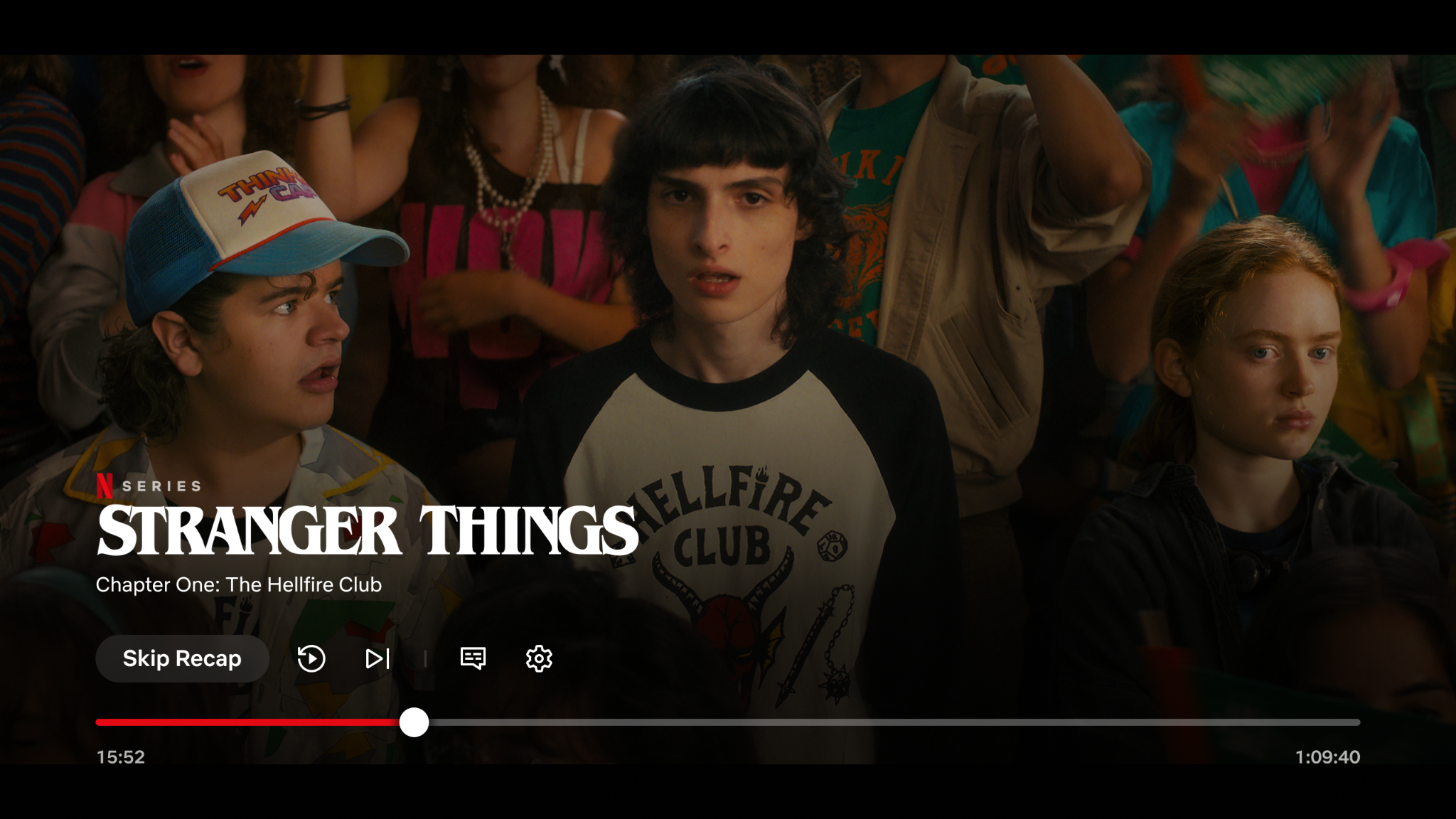
Updated Netflix UI player on connected devices
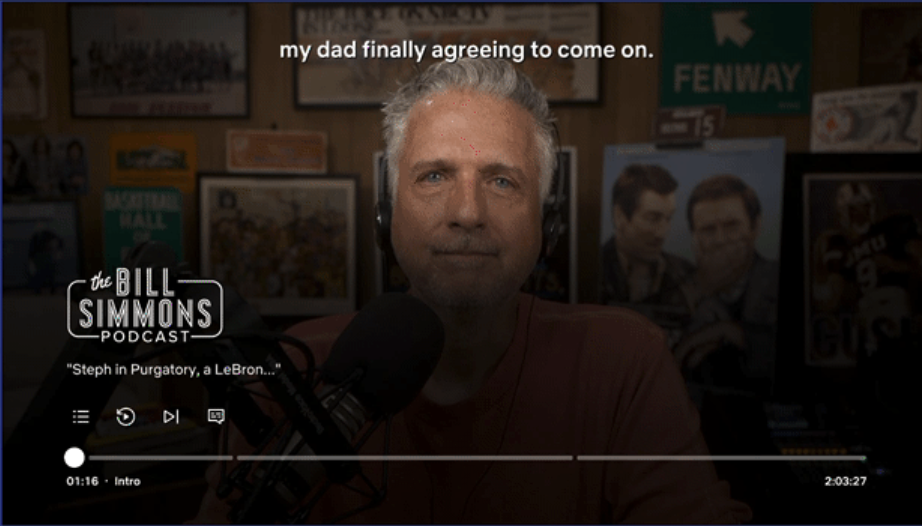
Updated Netflix UI player for podcasts with chapters on connected devices
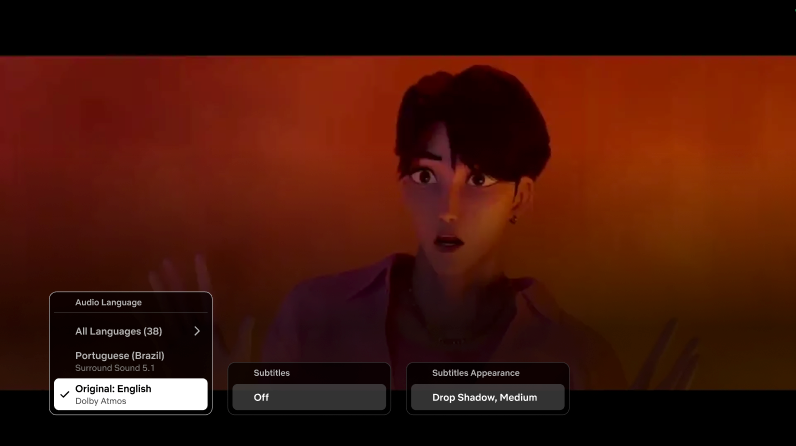
Updated language options on Netflix’s new UI player
Of course, Netflix’s test run is by no means news; There are many things going on at any given point in it. As we covered just last month, the streamer has introduced free trials for several international markets (except UK/US) and is constantly testing design and feature iterations (sometimes even with removals). Since we last covered the web user interface, it has also evolved, with menu items now spanning the top of the page.
We should also mention that over the past week, Netflix has added new design elements to Games and Podcasts within the TV app, giving these categories a distinct white icon on a dark background in the top corner of the tile instead of the red icon previously used. The Top 10 icon on the title card has also moved from the upper-right to the upper-left corner.

New icons for games and podcasts
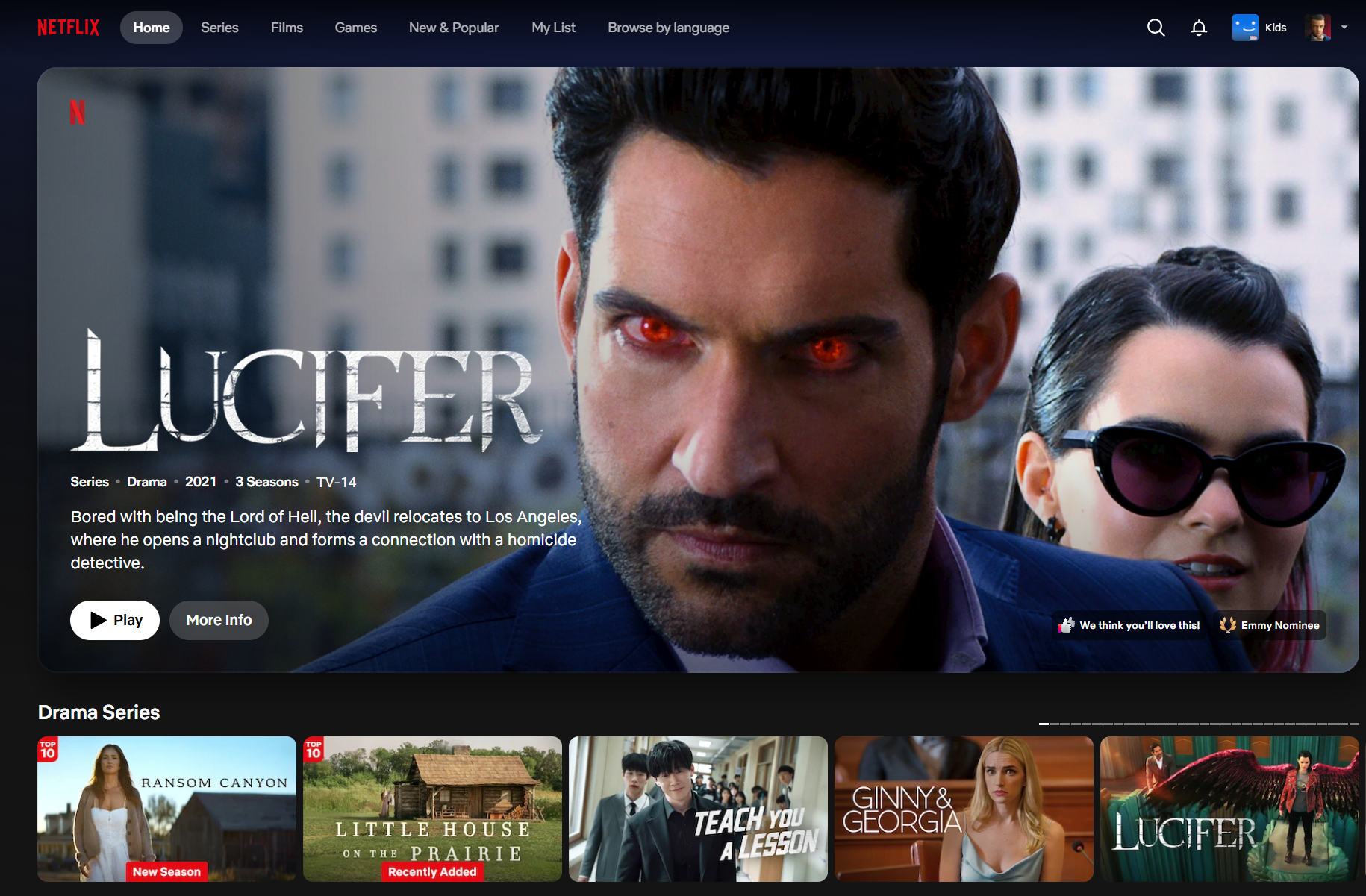
The most recent update of changes to Netflix’s web user interface
These are all small changes, but they add up over time. Given that this is a test, Netflix will collect data and make sweeping changes based on its findings.
Have you received the new video player UI on your smart TV or streaming device yet? Let us know what you think of the new controls in the comments below.