
Image Credit: Netflix
Over the years, Netflix has experimented with several iterations of vertical feeds on mobile to help the mobile app feel more like Instagram Reels or TikTok, which dominate usage. It’s the latest iteration, officially launching today in select regions, and the streamer has dubbed it the best one yet. We’ve been working on this iteration of this new vertical feed for the past few weeks, and we’ve also got information from Netflix about new features, as well as answers to some of our burning questions.
Starting today (April 30), Netflix is rolling out a comprehensive update to its mobile app. The core of the app was overhauled last year with Connected TV, and, for the most part, the visual changes that came last year remain in place. The biggest changes come with the top and bottom navigation, as well as its new vertical feed, which has been in testing over the past year.
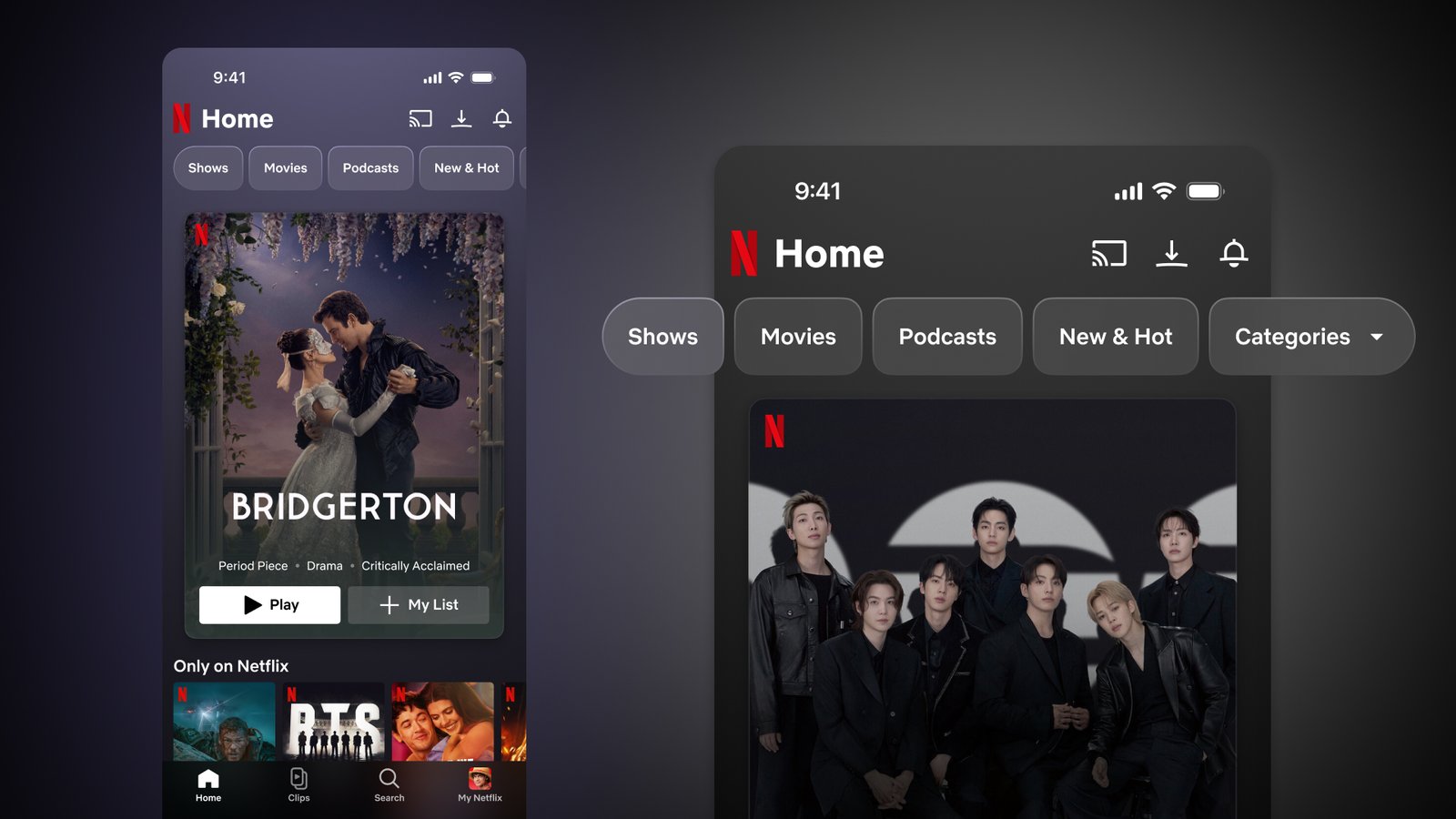
According to a Netflix representative, the Netflix mobile app has basically been a mirror of the TV experience, miniaturized for your pocket. But viewing from mobile is more fluid and immediate. This is a constant evolution, and as a result, today, the home screen is getting a remarkable new look. Here are the big takeaways from the UI changes:
- New top navigation bar: Content at the top of your screen will now be grouped by entertainment types (shows, movies, live events, games, etc.).
- ‘New & Hot’ and ‘Games’ running: You’ll notice that the New & Hot section is being moved to this top navigation area, but it won’t be removed completely.
- A simplified bottom tab: This only makes room on the bottom navigation bar for four main destinations: Home, Clips, Search, And my netflix.
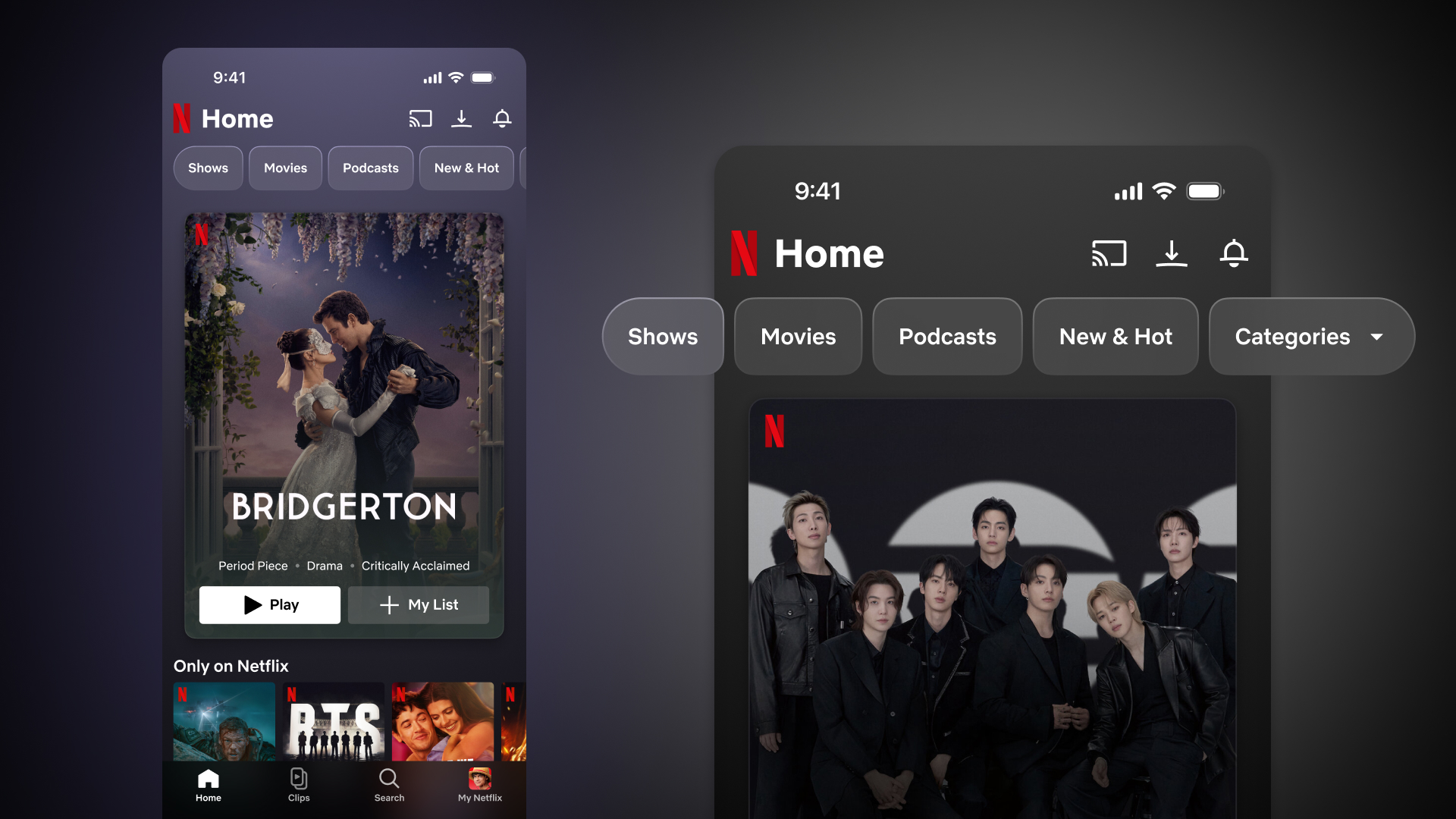
Image Credit: Netflix
The main feature is its long-teased brand-new vertical video feed called Clips. It aims to bring the fast, highly visual discovery of apps like TikTok to Netflix, but with one big change: The end goal isn’t to keep you doomscrolling, but to discover and feed “fandoms.”
Here are the full details of what’s changing on your Netflix mobile app, what we learned from the product team, and what’s coming next.
Enter ‘Clips’: Hyper-Personalized Vertical Video
Let’s talk about clips. Located on the right in the bottom navigation, it’s a personalized vertical video feed pulled from Netflix’s entire catalog of licensed and original shows, movies, live events, and even behind-the-scenes marketing materials.
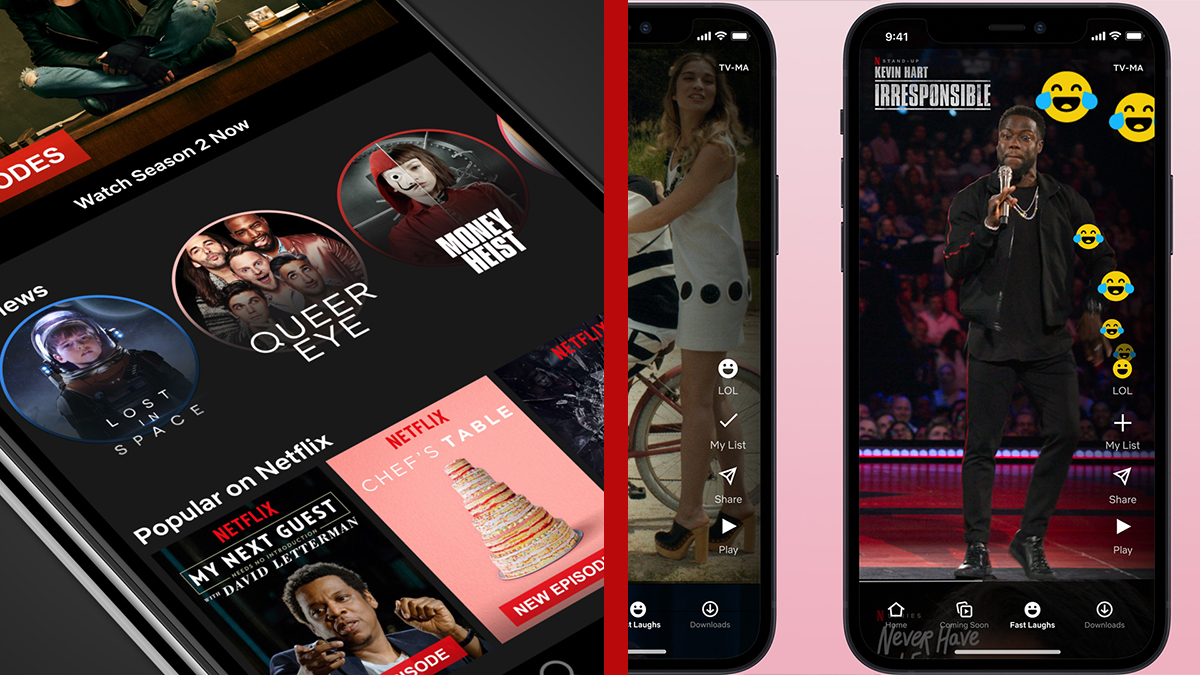
If this sounds familiar, longtime Netflix subscribers will remember. laughing loudlyVertical feed was launched by Netflix in 2020. You can go even further back to 2018 for the first iteration, where there were circle icons for different shows and mobiles that opened clips for that title when pressed. During our briefing, the team explained that Clips is a direct evolution of these experiments. Fast Laughs proved that members love vertical video for discovery, but limiting it exclusively to comedy clips might be too limiting.
Previous iterations of vertical feeds on Netflix – Image Credit: Netflix
Clips opens up the entire Netflix ecosystem, and the personalization here is incredibly detailed. It doesn’t just know what shows you like; It knows which aspects of them you like. The team gave a great example: if two different users like the K-pop group BTS, the feed could potentially serve them completely different clips based on their habits and behavior. One user might get a clip from a music documentary, while another might get a snippet from a recently streamed live event, all based on their personal baseline watch habits, fed by Netflix’s algorithms, and now based on their behavior based on which clips they watch and interact with.
Importantly, Netflix told me that their measure of success for this feature is not endless scrolling. The goal is to inspire you to take action. Because of that, the UI is packed with utilities hoping to achieve that goal:
- Add to ‘My List’: A quick tap adds the title straight to your list.
- Context Hint: You’ll see a progress bar with style tags, a summary, and a timestamp so you know what you’re looking at.
- share: A prominent share arrow lets you send the clip to a friend or broadcast it on social media to increase your fan following.
- Jump to the right: Tap the circular avatar, and you’ll be taken to the title’s description page to start watching immediately.
First impressions and what’s to come next
After working on it for the past few weeks, it’s as intuitive as it gets explained, with most of the clips that come up coming from titles the streamer knows I’ve watched or at least have an interest in.
However, it is not as complete as previous iterations. Some features like TikTok and Instagram, like being able to fast forward or easily rewind, aren’t here yet, but they are in the pipeline, we’re told.
Of course, it’s also missing the social aspect of these feeds that makes them so addictive. Unlike Loud Laughs, there’s no way to add reactions, and certainly no comments to interact with. The latter is the biggest downside in my opinion, given that the feed operates almost in an echo chamber, and part of the entertainment on TikTok is seeing what others have to say about a clip.
What is not available at launch, but will be available later, is Collections. Instead of just a personalized feed, you’ll be able to dive into specific genres like reality TV drama, podcasts, reality TV, WWE, comedy, or romance.
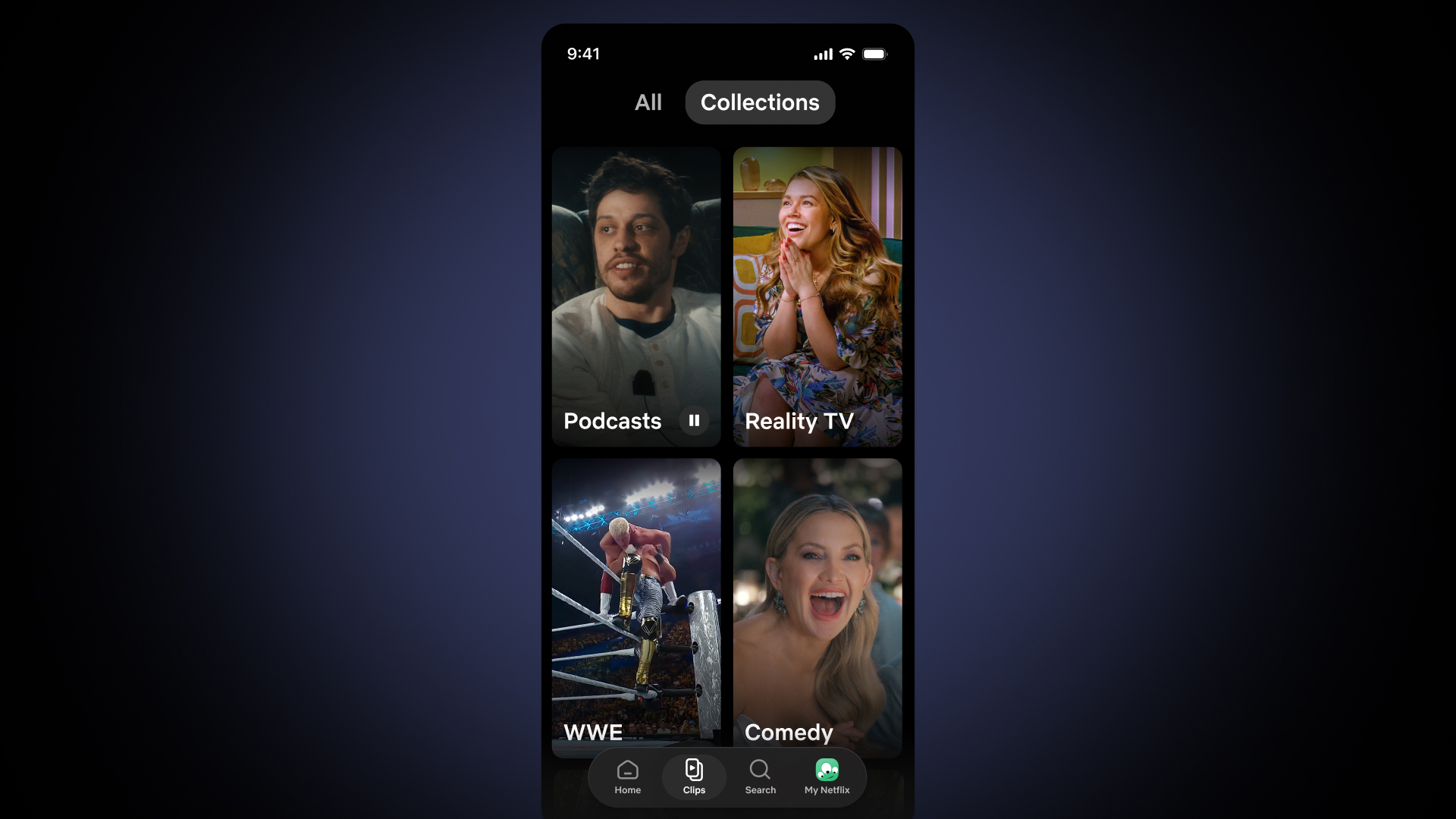
Netflix Mobile Clips Collection – Image Credit: Netflix
For now and for the foreseeable future, all clips on the app are produced internally by Netflix. We asked whether the Moments feature, was introduced last year And that will include allowing people to capture their own clips and share them. While Moments is not part of this rollout, Netflix noted that watching user-generated clips is not available “yet,” leaving the door slightly open for the future.
Netflix was also not able to provide a number of clips that would be in circulation at launch, but stated that the aim would be to cover Netflix’s entire catalog over time.
I’m especially glad that New & Hot has persisted, as that particular feature was hidden in earlier iterations of the test. Everyone uses the Netflix app mobile differently, but personally, I find this feature really useful for finding out what’s on and adding things to my queue to watch on my TV. I just wish it wasn’t so limited in the number of titles it currently shows.
Netflix games are also seeing a significant drop in visibility here. Previously it had a permanent location at the bottom, now it has been moved to a drop-down menu at the top. This shouldn’t be a huge surprise, as The Division’s goals have shifted towards its TV party game experiences, and it should be noted that they still appear organically in different rows on the home screen, but it’s clearly not as big a priority.
wrapping up
Speaking at today’s launch, Netflix Chief Product and Technology Officer Elizabeth Stone said:
“Mobile is an increasingly important part of how Netflix members stay connected to their favorite entertainment. With our enhanced navigation and Clips, our new vertical video feed, we’re delivering an experience based on past learnings the way members want to enjoy Netflix on their phones: for in-between moments, to find a new title, or for a quick laugh. Our vision is to make our mobile experience as entertaining as what you watch, fast for any mood or moment. “Delivering personalized, immersive experiences is just the beginning.”
Rollout details: The new mobile update and Clips feed is rolling out today (April 30 at 6am PT / 9am ET) to users in the US, UK, Australia, Canada, India, Malaysia, Pakistan, the Philippines, and South Africa. A broader global rollout will take place in the coming months.
Are you excited to try the new Clips feed? Let us know what you think in the comments below.